

This is default featured slide 1 title

Go to Blogger edit html and find these sentences.Now replace these sentences with your own descriptions.This theme is Bloggerized by Lasantha Bandara - Premiumbloggertemplates.com.

This is default featured slide 2 title

Go to Blogger edit html and find these sentences.Now replace these sentences with your own descriptions.This theme is Bloggerized by Lasantha Bandara - Premiumbloggertemplates.com.

This is default featured slide 3 title

Go to Blogger edit html and find these sentences.Now replace these sentences with your own descriptions.This theme is Bloggerized by Lasantha Bandara - Premiumbloggertemplates.com.

This is default featured slide 4 title

Go to Blogger edit html and find these sentences.Now replace these sentences with your own descriptions.This theme is Bloggerized by Lasantha Bandara - Premiumbloggertemplates.com.

This is default featured slide 5 title

Go to Blogger edit html and find these sentences.Now replace these sentences with your own descriptions.This theme is Bloggerized by Lasantha Bandara - Premiumbloggertemplates.com.

7 Free Online Font Generators 2024


Font

 If you are not a web designer, you can still utilize cool fonts on various apps and services. One option is to employ an online font generator to create cool fonts that can be used in your Instagram Bio Section.

Likewise, you can utilize the top online font generators to generate fonts for your projects, graphics, and more. Consequently, this article presents a compilation of the finest online font generators to assist you in swiftly creating cool fonts. Let us begin...

1. FontStruct


FontStruct

FontStruct is more than just a font generator; it is primarily a font-building tool that is widely utilized for crafting remarkable fonts. By employing FontStruct, users can effortlessly design fonts using geometric shapes.

Although the web-based font generator is available at no cost, it necessitates the creation of an account. Once the font creation process is completed, FontStruct generates TrueType fonts that can be downloaded and utilized in various applications or websites.

In conclusion, FontStruct serves as an exceptional tool for generating fonts and proves to be immensely beneficial for developers seeking innovative ways to create impressive fonts for their projects.

2. Calligrapher

Calligrapher

 If you are in need of an online font generator to assist you in creating TrueType fonts for your websites and apps, there is no need to search any further than Calligrapher. Calligrapher offers both free and premium versions, with the free account providing limited tools and resources. However, these tools are typically sufficient for generating fonts for websites and mobile apps.

With Calligrapher, you have the ability to create an unlimited number of fonts online. These fonts can include up to 75 characters, and you also have the option to randomize the design of your letters.

3. Font Meme
Font Meme
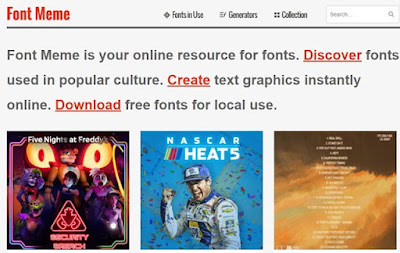
Font Meme stands out as a top-notch online platform for font enthusiasts. By utilizing this website, users can explore a wide array of fonts and craft impressive text graphics effortlessly.

To utilize the free online font generator provided by Font Meme, simply select a font template and input your desired text. Begin by launching the Font Meme font generator, selecting a text style, and entering your text.

The font generator will then proceed to create a font that aligns with your chosen style. Font Meme serves as an exceptional online font generator that is readily available for use.

4. Glowtxt

Glowtxt

 If you are in need of a font generator that can produce vibrant texts at no cost, then Glowtxt is the perfect solution for you. Glowtxt is a website that provides free services to assist you in creating colorful texts.

With over 80 font styles available, Glowtxt allows you to generate text in various vibrant colors. The user-friendly interface of the site makes it simple to navigate and utilize. Additionally, you have the option to incorporate animations such as Pulse and Sweep to enhance your text, as well as customize the background and border colors.

Once you have generated your desired colorful texts using Glowtxt, you have the option to either download them directly onto your computer or upload them to Imgur effortlessly.

5. Lingojam

Lingojam
If you are in need of a complimentary online tool for generating stylish fonts, consider giving Lingojam a try. This website offers a user-friendly interface that is both clean and straightforward.

Upon accessing the site through your web browser, you will come across two distinct sections. The first section is designated for inputting normal text, while the second section is specifically designed for generating fancy text.

By entering your desired text in the Normal Text section, Lingojam will seamlessly convert it into fancy text within the second section. All in all, Lingojam proves to be an exceptional choice for individuals seeking various options to create fancy fonts for their projects or social media accounts.
 

6. Font Generator

 
Font Generator
Font Generator functions similarly to the Lingojam website mentioned earlier. Just like Lingojam, users input their original text and the website generates the output in various font styles.

Version 1:
This online tool creates text and graphic fonts. Prior to generating fonts, users have the option to select from a range of styles including Italics, Handwriting, Elegant, and others.

After generating a graphic font, users can personalize the font color, size, and background color. Upon completing the customization, users can download the graphic font in JPG, PNG, or GIF file format.

7. Glyphr

Glyphr
If you are in need of a web-based font designer that is both free and user-friendly for your current project, there is no need to search any further than Glyphr. Glyphr is an exceptional font generator that offers the finest font editing experience.

Rest assured, this online font generator can be relied upon to create personalized fonts within an intuitive interface. The remarkable aspect of Glyphr is its ability to allow you to fine-tune every pixel of each letter.

However, it is important to note that in order to generate remarkable fonts using Glyphr, one must invest time in learning how to effectively utilize the tool. While the user interface is straightforward, it encompasses numerous advanced tools that necessitate dedication and effort to master.


How to Password Protect RAR Files


rar


 RAR is a file format utilized for compressing files into an archive, similar to ZIP files but with additional advantages. One of the key features that sets RAR files apart is its encryption system, which allows for password protection to ensure the safety and security of the files contained within, preventing unauthorized access. Recently, we provided a comprehensive guide on how to password-protect ZIP files, and today we will delve into the same topic for RAR files. Therefore, if you are seeking methods to password protect RAR files in Windows 11, kindly refer to the techniques we have outlined below.

1. Create a Password Protected RAR File

To create a password-protected RAR file, you can utilize the WinRAR application. Follow the steps outlined below to proceed.

1. Begin by downloading and installing WinRAR on your Windows 11 PC.

2. After installation, locate the specific file or folder you wish to compress. Right-click on the file or folder and choose the Add to Archive option.


Password Protected RAR
3. Now, on the archive name and parameters window, select ‘RAR‘ in the Archive format.


 4. On the right pane, click the Set password button under the archiving options.

5. On the Enter password prompt, enter and reenter your password. Next, click on the OK button.

How to Password Protect RAR Files
6. Now, click the OK button on the Archiving with password Window.


7. This will create a password-protected RAR file. You will be asked to enter the password if you try to extract the RAR file.

7. This will create a password-protected RAR file. You will be asked to enter the password if you try to extract the RAR file.


2. How to Set Password on Existing RAR archive?

To password-protect existing RAR archives using WinRAR, follow the steps outlined below:

1. Begin by right-clicking on the RAR file you wish to secure with a password, then choose the "Open with WinRAR" option.

2. Proceed by selecting the "Tools" menu, followed by the "Convert Archives" option...


How to Set Password on Existing RAR archive

3. On the Convert Archive prompt, click the Compression button in the Conversion options section.


4. On the Set default compression options prompt, click the Set password button.

Existing-RAR-file-3

 5. Next, enter the password and click on the OK button.


6. Click the OK button on the archiving with a password prompt.

7. Next, click the OK button on the Convert archives prompt.

Existing-RAR-file-5


Downloading Torrent Using Internet Download Manager

Downloading Torrent Using Internet Download Manager
Hello friends, today i will show you the way to download torrents with Internet Download Manager. Torrent is tiny file with .torrent extension which allows you to download huge amount of data. We use torrents to download various stuffs like movies, games, software package and plenty of different things. you'll transfer torrents from several website.  The transfer speed for torrents depends on seeds it has. It will make difficult for you to download files with very low or no seed counts. However with the assistance of this trick you'll be able to download torrent file with IDM. This tool can be really helpfull when you want to download file that has very low seeds. IDM is the quickest file transfer manager on the internet market. So lets begin!


How To Transfer Torrent With IDM

1. First download the torrent file with .torrent extension which you wish to download from the internet directly without any torrent client like utorrent.
Downloading Torrent Using Internet Download Manager

2. Now open zbigz.com and you will land on its homepage.
3. Then Click on upload Torrent and browse your torrent to transfer and click on Go.
4. Then it will ask you for Free or Premium service, choose Free to proceed further.
5. It will take some time to cache your file. Once the caching is done, click on transfer button to download your file as shown below.
Downloading Torrent Using Internet Download Manager
6. You should have internet download manager installed on your computer so that download start inside IDM. If you don't have IDM don't worry it will download directly.

Note: If you decide on to use Free transfer then you wont be able to transfer file of more then 1 GB

How to Access Blocked Websites

Most of us find ourselves in situations where a website we wish to visit is blocked by a software or by our ISP (Internet Service Provider). So the question arises, how can we access blocked websites? The answer to this is simple: Proxy websites. Before going into details, let us know a bit about these proxy websites. 

Proxy Websites

A proxy website acts as an intermediate source between the user and server the site being contacted is hosted on. Users send requests to proxy websites which conveys them to the site's server. The reply received by the proxy website is then forwarded to the user's computer. This gives an impression to ISP's and blocking software that the user is visiting the proxy website but in reality, s/he is visiting the site which was blocked. Thus, proxy servers also provide extra security to users by hiding their online activities from their ISP's.

Commonly Blocked Web Sites

The sites which are most commonly blocked at workplaces, schools and offices include websites like Facebook, Orkut, Blogger (blogspot), Google News, Typepad, eBay, MySpace, YouTube, MSN, Yahoo! Messenger, Bebo, Google Talk, Gmail, Photobucket, AOL AIM, Flickr, Twitter etc. In some countries, social bookmarking sites like Digg and Reddit are also blocked. Countries like Saudi Arabia, Pakistan, China have even blocked access to mainstream media websites like The New York times. A proxy website can be used to easily access these blocked websites. As proxy websites hide a user's location, they can also be used to access popular websites which are restricted to particular countries and block users from other countries from visiting them.

Types of Proxies

There are two types of proxies. First, there are web proxies which have an interactive interface; and second, the proxy servers which work on the basis of IP Addresses and port numbers. Proxies can also be segregated on the basis of anonymity into Anonymous, Transparent and High Anonymous depending upon the amount of privacy they provide.

How to Find Proxy Websites and Proxy Servers

A simple Google search containing the word "proxy websites" is likely to return a lot of useful results. However, most of them are likely to be lists containing proxy servers which you can setup using their IP Address and Port Number. So, in order to find interactive proxy websites, you will have to search for something like "Facebook Proxy Server" or "Twitter Proxy Server". A search like this is most likely to return interactive proxy websites with which you can access your blocked website by simply entering the URL in URL field. If you want additional security and anonymity, you can opt for a paid proxy server.

If you do not want to search, here are few popular free proxy websites you can use:-
  1. http://www.spysurfing.com/
  2. http://proxify.us/p/
  3. http://kproxy.com/


How to Setup Proxy Servers using their IP Address

If you wish to visit your blocked website using a web proxy, you do not need any setup. However, if you wish to use a proxy server that can only be accessed by using its IP address and port number, you must configure your browser to use it. Follow the instructions given below to setup this type of proxy in your browser:-

Google Chrome and Internet Explorer Users

Google Chrome uses the same network settings as Internet Explorer. So, in order to configure Google Chrome to use a proxy server, you have to configure Internet Explorer. You can configure a proxy server in Internet Explorer by following the instructions given below:-

  1. Start Internet Explorer.
  2. Click on Tools, Internet Options.
  3. Click on Connections Tab, select your Network Connection and click on Settings.
  4. Check on Use a Proxy Server for this Connection.
  5. In the Address field, add the IP Address of your Proxy server. In the Port field, enter the Port Number.
  6. Click on OK and OK again.

Mozilla Firefox Users

Mozilla Firefox users can configure their browser to use a proxy by following the instructions given below:-

  1. Start Mozilla Firefox.
  2. Click on Tools, Options.
  3. Click on Advanced Tab.
  4. Click on Network tab.
  5. Click on Settings.
  6. Encircle Manual Proxy Configuration.
  7. Enter the IP Address and Port Number at the appropriate place. In most cases, it will be a HTTP server.  
After you have successfully configured your browser to use the proxy server, you will be able to access blocked websites whenever you browse the internet with your browser.

How to create ISO image of hard drive in Windows 10


Creating an ISO image of a hard drive in Windows 10 allows you to make a complete backup of the drive's contents, including the operating system, applications, and files. Here's how you can create an ISO image of a hard drive for free:

  1. Download and Install Disk2vhd:


    • Disk2vhd is a free utility from Microsoft Sysinternals that allows you to create VHD (Virtual Hard Disk) images of physical disks.
    • Visit the Disk2vhd webpage (https://docs.microsoft.com/en-us/sysinternals/downloads/disk2vhd) and download the ZIP file containing the utility.
    • Extract the contents of the ZIP file to a folder on your Windows 10 computer.
  2. Launch Disk2vhd:

    • Navigate to the folder where you extracted the Disk2vhd utility and double-click on the "Disk2vhd.exe" file to launch the program.
  3. Select Hard Drive to Image:

    • In the Disk2vhd interface, you'll see a list of available physical drives on your computer.
    • Check the box next to the hard drive you want to create an ISO image of. Ensure that the drive has enough free space to store the resulting VHD file.
  4. Choose Destination and Options:

    • Below the list of drives, specify the destination where you want to save the VHD file. You can save it to an external USB drive, network location, or another internal drive.
    • Optionally, you can customize the options for the VHD file, such as whether to create a single VHD file or split it into multiple files, and whether to include the disk's page file or not.
  5. Create VHD Image:

    • Once you've configured the settings, click on the "Create" button to start the process of creating the VHD image.
    • Depending on the size of the hard drive and the speed of your computer, this process may take some time to complete. Be patient and allow Disk2vhd to finish creating the VHD image.
  6. Verify VHD Image:

    • After the VHD creation process is complete, navigate to the destination folder you specified earlier and verify that the VHD file has been created successfully.
  7. Convert VHD to ISO (Optional):

    • If you specifically need an ISO image instead of a VHD, you can convert the VHD file to an ISO using third-party software like ImgBurn or PowerISO. These tools allow you to create ISO images from various disk formats, including VHD.

By following these steps, you can create an ISO image of a hard drive in Windows 10 for free using the Disk2vhd utility from Microsoft Sysinternals.

How to use WhatsApp without Phone Number


  How to use WhatsApp without any Phone Number ? WhatsApp requires your mobile number in order to create a WhatsApp account, if you don’t want to use your phone number for some reasons, you can still use WhatsApp, send/receive messages from it.

How to WhatsApp without any Phone Number? Well, here are the steps:

  1. Uninstall WhatsApp if already installed in your mobile phone but you can keep WhatsApp images/video files.
  2. Download and Install WhatsApp again.
  3.  Block your message service by simply shifting to flight mode. Now, open WhatsApp and add your number to it. So, it will not able to send message to server and verify your mobile number.
  4. As verification is still incomplete and messages are blocked, Whatsapp will ask you to choose alternative method to verify. Choose ‘Verify through SMS’ and enter your email address. Click ‘Send’ and without waiting for a second, click ‘Cancel’. This terminates the authorization process.
  5. Now, you are required to spoof message. Install Spoof Text Message for Android and    Fake-a-Message for iPhone.
  6. Go to your Outbox -> Copy the message details to spoofer app -> Send it to spoofed verification.
  7. Use these details in your spoofed message: To: +447900347295 From: +(Country code)(mobile number) Message: Your email address
  8. A message will be sent to that spoofed number and you can now use this number to connect with friends.
Thank you :)

How to Make Money from Your Smartphone Photography

 
If Instagram was a country, it would have more citizens than the United States.
400 million digital citizens make an awful lot of photographic memories. 40 billion photos and counting actually. How many are you taking? And what are you doing with them?
Maybe, you are stitching them together as memories. Maybe, you are putting them up against the best in photography contests.  Or maybe, you are someone like Mike Gutkin who puts his smartphone and photography skills to good use by making money from them. It’s hard to argue with someone who has 63,000 followers on Instagram!
In a Verizon Wireless story, he has the best advice,
“Dive right in.”
Thanks to the sheer number of apps and stock photography sites, selling your photos for some extra cash has no narrow hoops for us to jump through. The obstacle is the skill level.
Make no mistake – it is hard because it is creative. It is hard because everyone is a smartphone photographer. But as many have already proven, it can be done. Let’s first understand who will buy your photos.

Who Will Buy My Photos?

It is cheaper for brands and companies to buy photographs from community-powered stock photography services than from professionals. Buyers look for photos with creativity and realism, rather than the staged images from traditional agencies.
Stock photography can also get boring after a while, and stop saying those 1000 words you want them too. They may not be localized enough to reflect culture and festivals. They might not be timely enough to capture a breaking news event or even something as mundane as a college football match. Brands today often prefer user-generated images that are taken from everyday life. For example, babies, photos of family holidays, people working in natural settings and so on.

Traditional stock photography outlets are also looking beyond digital SLRs. Your camera doesn’t matter any more — anything with emotion sells.
Fotolia which is a well-known stock photography biggie has got into the game with Fotolia Instant. Shutterstock might have a strict rule for contributions, but it also gives registered users the Shutterstock Contributor app for discovering what customers want and contributing to the pool. A similar offering comes from Dreamstime.
If you don’t want to sell your shots, sites like Photoshare will gladly accept your smartphone snaps for educational use.

Sell Your Creativity with 7 iPhone Photography Apps

There are stock photography websites. And then there are specialized photography apps with a community behind them. These apps are a single window solution to taking a photo, automatically getting it authenticated, and then submitting it for a sale.

Twenty20


A large community of mobile photographers use Twenty20 (earlier known as Instacanvas) to explore photography and earn cash from their own photos. Nearly 300,000 photographers and 46 million photos give brands and digital creators a lot to choose from.
Use the free Twenty20 iPhone app to join as a photographer. Those without an iPhone can use the website as there is no Android app as yet.
Twenty20 has a good explanation of the type of photos that get sold.
How do I sell a photo?
  1. Upload your high-resolution photos with detailed descriptions and keywords. This makes them easier to be discovered.
  2. Participate in Challenges around specific themes. A new challenge is posted every day.
  3. Submit your photos to the Signature Collections. These are photos are nominated by the community with a final selection from the editors.
How much can I earn?
Twenty20 gives out a commission of 80%. A single photo can sell for $20, $40, or $80 depending on the size of the photo purchased. You earn 80% of the sale price on each buy.
There are other price points that depend on the kind of inclusion. There are four ways to make money from your photos on Twenty20.
Download: Twenty20 for iOS (Free)

Snapwire


Snapwire is a connecting platform for more than 200,000 photographers and buyers who are looking for custom photos. Photographers follow Requests and Challenges from brands, creatives and small businesses who need to license authentic custom photos.
Requests are open only to approved photographers of Shooter level or above. Challenges are open to all. Requests pay more than Challenges.
The crowdsourcing site follows a leveling system that rewards photographers based on their performance. It has seven levels: Explorer, Shooter, Advanced, Expert, Elite, Pro, and Master. Each has its own perks.
Follow the How to Succeed tips and tricks for selling your first photo on the platform.
How do I sell a photo?
  1. Follow the creative briefs of the challenges and requests. Upload your photos.
  2. Buyers nominate the best photos and photographers are awarded points. Photographers are paid for their winning photos.
  3. Photos can be liked by both buyers and photographers. Unsold photos can also become a part of Snapwire Marketplace for future purchases.
How much can I earn?
Snapwire pays out 70% of every photo sold on a buyer’s paid Request and 50% when your photos sell in the Marketplace. You retain the copyright to your photo.
Download: Snapwire for iOS (Free) | Android (Free)

Foap

Foap is one of the simplest places to sell your mobile photos. The iPhone and Android photography marketplace is one of the many corners of the web you can turn to for micro-jobs in your free time. Some of the world’s largest brands like MasterCard, Hyatt, Volvo Group, Absolut Vodka can buy your photos.
The payout isn’t terrific ($5 per photo) but the dollars can add up if you are regular contributor. One of the benefits is that you can sell the same photo as many times as you like.
Foap has an excellent community portal. Here’s a brief guide on how to sell well here.
How do I sell a photo?
  1. Follow the Foap Missions which use specific topics to encourage contributions.
  2. Create a portfolio of your best photos for better exposure to buyers. Tag it well.
  3. Rate other photos even as you upload your own. Explore the photos that sell, and the Foap community portal for insider tips.
How much can I earn?
Every photo is priced at $10. Foap pays out $5 each time one of your photos sells. The photographer owns the photos. Missions also offer larger prize purses starting from $100.
Download: Foap for iOS (Free) | Android (Free)

Clashot


Clashot is an online “photo bank” — which is just another way of saying crowdsourced stock photography site. The free mobile apps for iOS and Android help you make, publish and sell photos. After a quick moderation process, the photos are stocked for sale at Depositphotos.
Question 8 in Section 2 of the FAQ should fill you in on Clashot’s requirements for photographs selected for sale.
How do I sell a photo?
  1. Upload photos around a particular theme or common subject that is offered on the app.
  2. Learn about new offers through regular notifications in the Clashot app and on the website.
  3. Photo themes can be customized and offered to users by their geographic region.
  4. Photos are open to peer review and comments from other users.
  5. Take part in contests on the site.
How much can I earn?
Photographers earn up to 44% of the profits from each sale. Prices on the site start from $5. Do remember that one photo can be sold an unlimited number of times to an unlimited number of people.
Download: Clashot for iOS (Free) | Android (Free)

Moment (Getty Images)


Getty Images is the top stock photography company in the world. Its specialized mobile app for iPhone photos is less known. That’s probably because the app is currently intended for existing Getty Images and iStock contributors. Users without contributor contracts can only view the content submitted by other users.  They cannot submit photos.
The company has however made a commitment that this policy will change, so keep an eye on Moment for your own moment to shine.
How do I sell a photo?
  1. Follow new requests for creative and editorial photography in the app.
  2. Approved photos are licensed for sale on Getty Images and/or iStock by Getty Images.
How much can I earn?
Royalties will be paid according to any existing Getty contributor agreement. There wasn’t any hard data on actual sale prices.
Download: Moment for iOS (Free)

EyeEM


EyeEM is a creative filter photo app first and a stock photography site second. The EyeEM Marketplace is an offshoot of the community behind the app. You can use the EyeEM camera and its 24 filters to shoot and upload the photos to the Marketplace. You can also just upload any other photo from your camera roll.
EyeEM has an option called Open Edit which helps you learn editing tricks from EyeEm’s top photographers. Notice the Open Edit icon on some photos. You can also reap benefits from EyeEM’s Tutorial Archives.
How do I sell a photo?
  1. Follow requests and upload photos.
  2. Take part in community photo competitions for prizes and exposure.
  3. Participate in these Photo Missions and also Learn & Shoot Missions via the app.
How much can I earn?
Prices start from $20. Revenues are split 50/50 between the photographer and the company. The same photo can be sold to different clients. The non-exclusive rights also allow you to use and sell the photos anywhere else.
Download: EyeEM for iOS (Free) | Android (Free)

Scoopshot

Scoopshot is a Finland-based hiring platform for photographers around the world. News outlets, bloggers, brands and companies as well as individuals crowdsource requests on Scoopshot. Photographers send them specific photos or videos. Scoopshot as the middleman takes care of image rights transfers and monetary transactions.
The site has gathered 1,800 accredited professional photographers in 55 countries so far. Scoopshot is open to both photographers and videographers.
The Scoopshot blog is a good read to understand what sells on the micro-stock photography site. This very early blog post on sweating it out with a smartphone camera is inspiring too.
How do I sell a photo?
  1. Sign into the service and set up a portfolio of photos.
  2. Participate in tasks announced by companies and buyers. Tasks may be sent by geographic location.
  3. Showcase your photography skills in daily contests. Members vote for the best photos. Nine daily contests run every day.
  4. With a focus on real photos, Scoopshot does not encourage use of filters to modify an image.
How much can I earn?
On Scoopshot, you can set your own price if the photo has some good news value. Brands set a price around the tasks they announce. This can range from $7 all the way up to $150. Daily Contest photos that get sold receive $5. A photo picked up by an online publisher also receives a percentage of the advertising revenue via Scoopshot’s In-Image Ad Network.
Download: Scoopshot for iOS (Free) | Android (Free)

What About Instagram?


Let’s not forget the smartphone photo community that started it all. Though there is no direct way to make money on Instagram, some time and effort can yield wonderful results. The secret sauce is in “engagement” — more followers on Instagram could open up opportunities, even among the billions of photos on the social network. I will keep it brief, but look at the two platforms below:
Mobile Prints – Use your Instagram photos on MobilePrints.com to make and sell framed prints, canvas prints, greeting cards, and more. Buyers can use the Pixels.com app for iOS and Android to visualize the artworks before purchase.
The Mobile Media Lab – A creative agency that sources photos from influential Instagrammers around the world. It connects brands to the right Instagrammer for specific campaigns.
You would also do well to follow these eight tips from my fellow author Rob Nightingale on how to get noticed on Instagram. Number #3 on the list is the one to remember always: use only your best photos.

Honorable Mentions of Other Crowdsourcing Photography Apps

The business model of the seven stock photo apps is similar. Every photo submission is beaded around assignments, themes, and contests. Here are a few more that deserve attention:

What Are You Doing with Your Smartphone Photos?

Smartphones can take great pictures, you just have to focus beyond selfies and work on your creative eye. The bad news is that the number of photos uploaded each day outstrips the number of people buying them. The good news is that people are earning a decent amount of money from their smartphone photos instead of letting them become memory bytes for the future.
Pick the right app, or more than one app and try your luck. An app like Foap might be good for a smartphone photography beginner. Snapwire might demand a keener photographic eye. Even if you don’t sell a single photo, rest assured your photography will get better by the day as you combine learning with crowd wisdom

5 Best Sports Livestream Apps

‘The Future of Sports Broadcasting’ is bright, but it’s not just the quality of the coverage which is developing at a pace. Over the years it’s been the experience of watching our favourite sports live, in person, which was the preferred choice but advances in technology have brought us more convenience and more options to see the best of our teams in action.

 Over 6 billion people now have access to a smartphone that has the processing power of a modern laptop. When allied with the stable connectivity of 5G, which will be available to over 3.6 billion people in 2025, according to Lifewire, it means more people will be able to access the content too.

As the devices develop, the number of sites and apps that grant access to the plethora of sporting options also grows. Some apps offer limited live streaming as part of their service. An example of this is the Coral Sports and Casino App on Google Play. It live streams all UK horse racing, then selected greyhound meetings, and some football including La Liga and Serie A. However, the range is license dependant, and some sites don’t offer as many options as those dedicated purely to live streaming. Reports suggest, as many as 65% of sports fans watch videos on their smartphone, and 53% watch on a PC, whilst only 43% watch via TV. So it shows that the mobile experience is undoubtedly becoming the platform of choice for sports fans.

But what are the best apps so you can watch sport via a live stream?

YipTV

This is a good option if you do not want to sign up for a lengthy contract for sports content. The app is available for free but access to some top broadcasting from channels like BeIN Sports and Fight Network. A monthly subscription of ₹1118.15 ($14.99) is available or the option to save a little money by committing to an annual plan will cost ₹3728.92 ($49.99).

LiveScore

Not only does the app bring you the latest scores from every live game in the major competitions around the globe, but you can also watch for free selected games from Serie A, Liga NOS in Portugal, and some from the Eredivisie in Holland. It’s a great app that works very well, but as not all of the fixtures are available for broadcast, you might miss out on the one you want to watch.

Mobdro

Mobdro is the best solution when it comes to accessing as much sport as possible. There are hundreds of TV channels, but it’s arguably the best because it features many of the sites from across the world. However, the caveat here is that it could be removed at any time, with some of the streamed channels currently requiring a subscription in their territories. It’s your responsibility to take note of the legalities around accessing content covered by such subscriptions or copyrights.

365 Scores

This is similar to LiveScore in that it brings you the scores as they happen in some of the biggest sporting events and brings you the headlines. There’s an archive of videos and footage of every football goal scored available within 5 minutes of it happening. The app itself is free, but the individual options when it comes to sports carry a cost, between ₹74.59 ($0.99) and ₹10442.31($139.99).

Supersport

Live match streaming is available on this app, from cricket, rugby, tennis, and football games, and its interface is easy to use. You can interact with others in the match chats, too, as the games are being played. For those who have missed the live games, there are also highlights to watch. However, what events are available are license dependant on the country you’re in.